Skip to content

The HomeCraft OS workspace

One project record from opportunity to closeout.

Keep scope, field work and financial records connected as the job moves forward.

The work behind every project.

01

Estimate with clarity

Organize scope by area, trade and line item. Review customer pricing and preserve approved versions.
02

Keep the team in context

Connect the schedule, journal, files and changes to the same project.

03

Follow the money

Review invoices, recorded payments, costs and outstanding balances with links to their source.

Project management · Estimating · Contracting · Invoicing · Accounting · Reporting

01 · Agree on the work

An estimate the customer can understand.

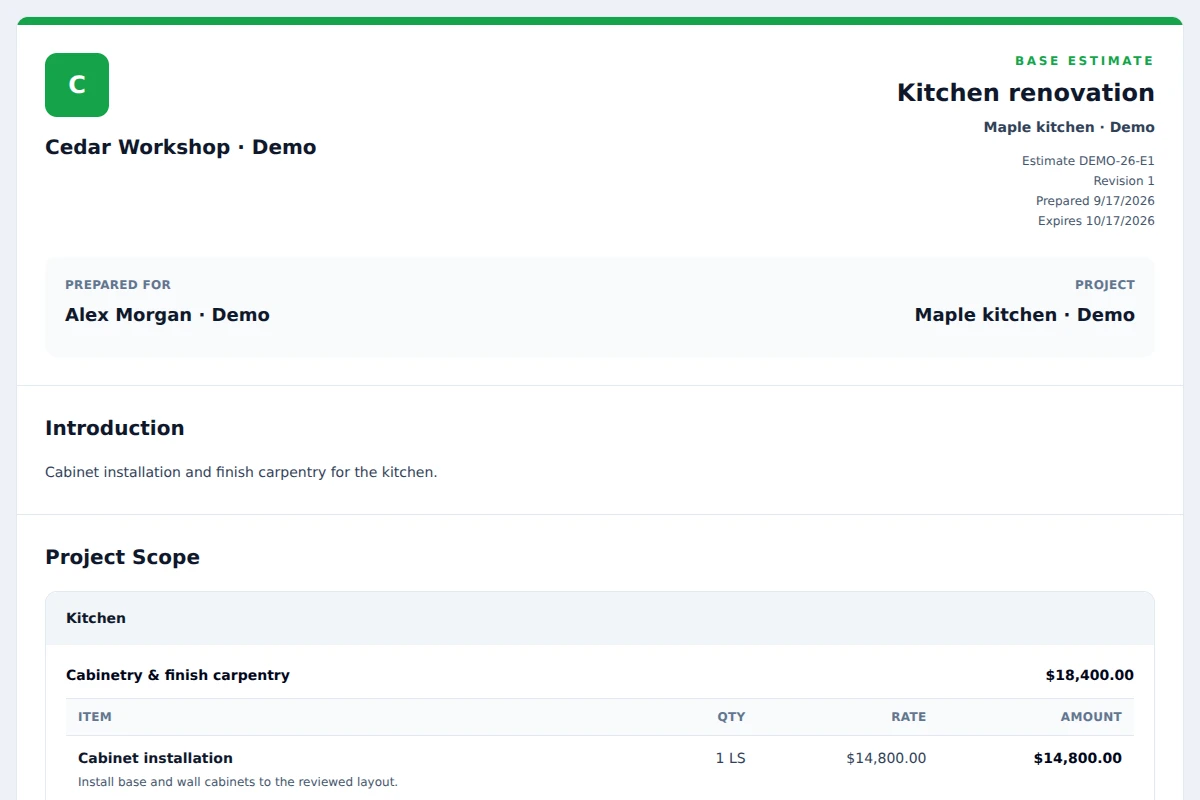
Build scope by area, trade and line item. Keep internal cost separate from customer price. Review the same customer document used for sharing and printing.
  • Explicit customer approval, decline or change request
  • Preserved issued estimates and accepted change orders
  • Tenant branding on customer documents
Customer estimateFictional demo data
HomeCraft OS customer estimate document for fictional Cedar Workshop, with kitchen scope and itemized prices.
Released interface, shown with fictional data. Viewport capture · September 17, 2026.
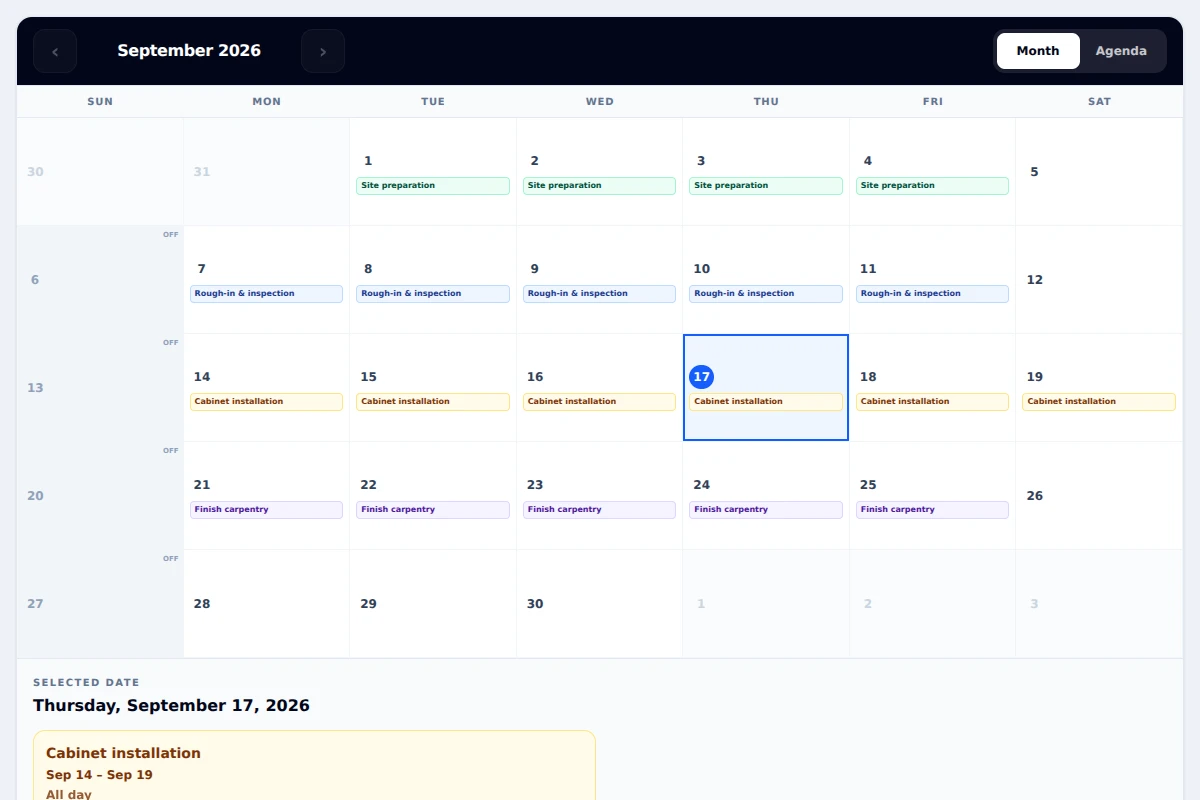
Project scheduleFictional demo data
HomeCraft OS project calendar with fictional preparation, rough-in, cabinet and finish phases.
Released interface, shown with fictional data. Viewport capture · September 17, 2026.

02 · Coordinate the work

A schedule with the project behind it.

Plan phases and workdays, review dependencies, and retain issued versions. Keep journal updates and project files nearby when plans change.

  • Month and agenda views
  • Customer schedule sharing and printing
  • Optional Google Calendar publishing with authorized review

03 · Understand the result

See the numbers. Open the records behind them.

Overview shows invoicing, collections and project activity. Reports and financial workspaces help you follow balances, job costs and source records within your permissions.

Web Insights reports recorded website inquiries and their available attribution. It does not yet provide a verified visitor-to-project conversion funnel.

Recorded payment information is separate from activating online payment collection. Bank and merchant connections require their own setup.
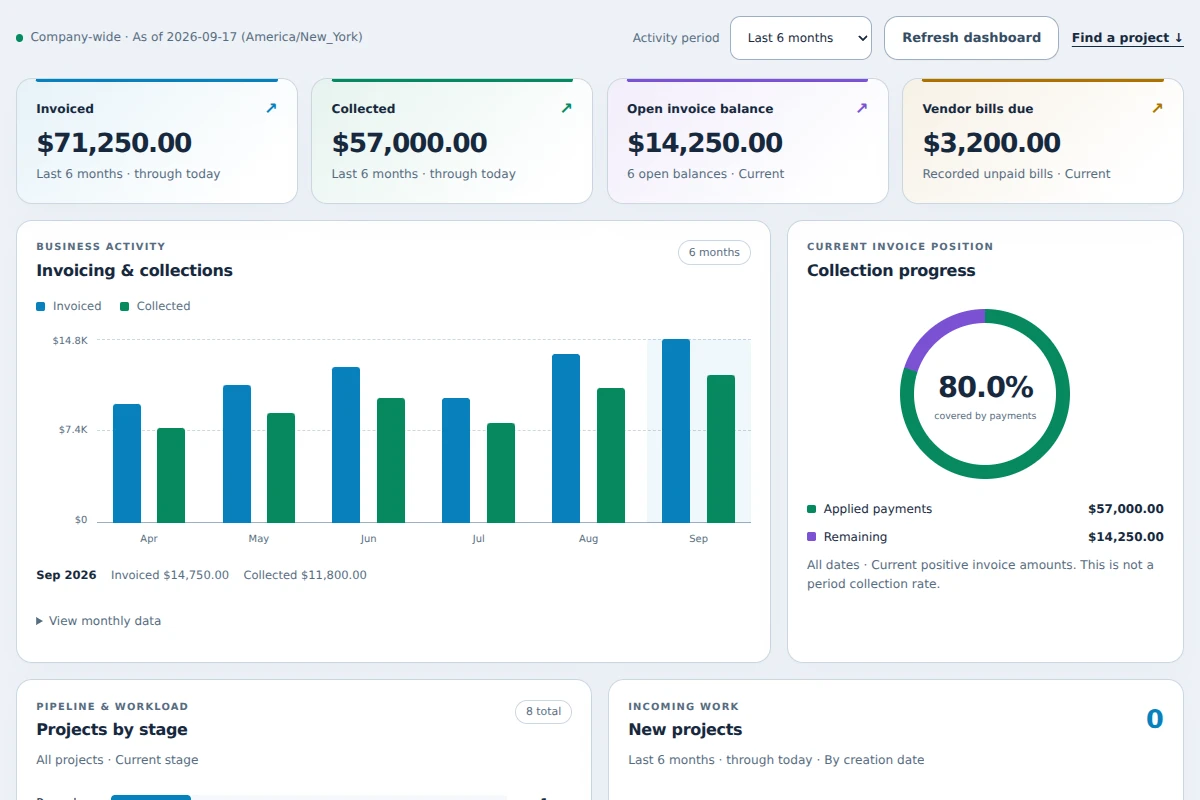
OverviewFictional demo data
HomeCraft OS Overview panel showing invoicing, collections and project activity with fictional demo amounts.
Released interface, shown with fictional data. Viewport capture · September 17, 2026.

Your next step

Bring one real workflow to the demo.

Tell us how your team works. We’ll walk through the relevant workflows and discuss setup, availability and pricing.

A request starts a conversation. It does not create a subscription or charge your card.