Estimate with clarity
Organize scope by area, trade and line item. Review customer pricing and preserve approved versions.

For the people running the job
Log the site visit, prepare an estimate or invoice, plan a follow-up and see what is due in one workspace. Lux helps prepare supported work for your review, so the team you have can handle more of the day without another handoff.
For remodelers, builders and trade contractors. Available through assisted onboarding.
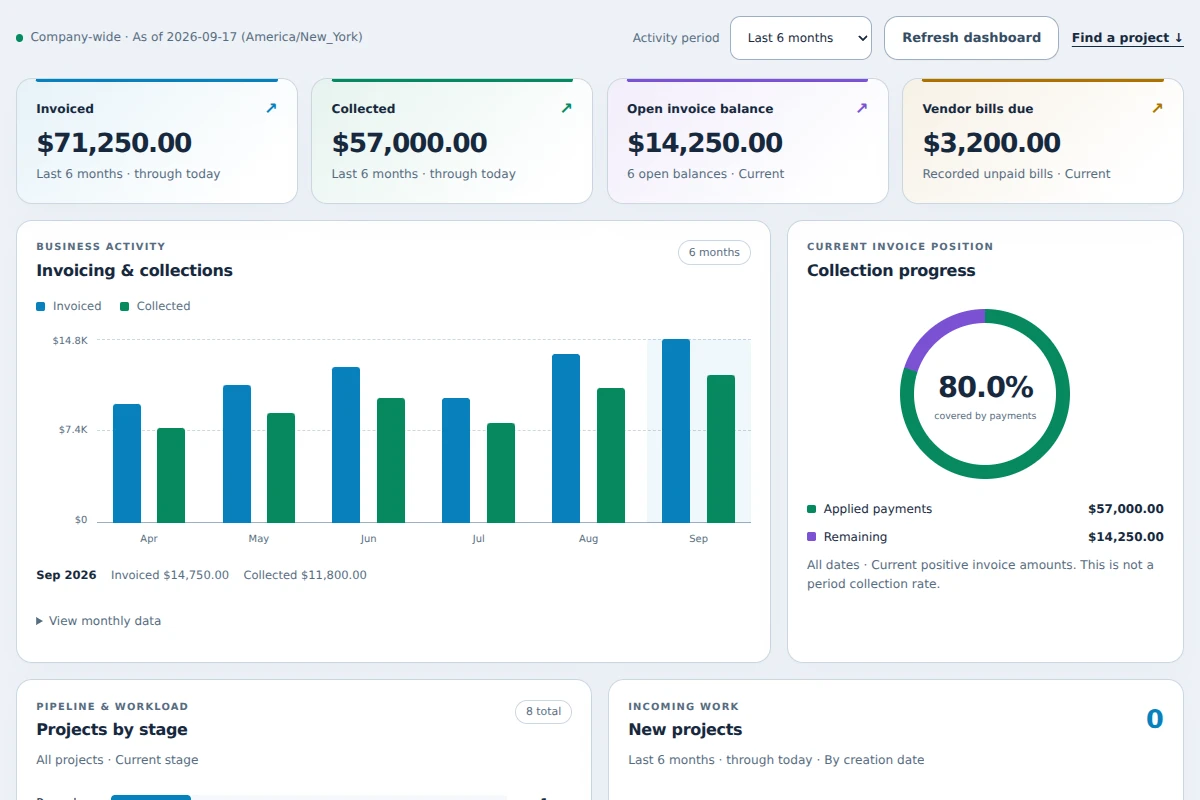
From the field to the final record
Open the responsive web workspace on your phone or desktop. Dictate a site note for review, build an estimate, prepare an invoice and check the source behind each number. Native iOS and Android apps are still in development.
Organize scope by area, trade and line item. Review customer pricing and preserve approved versions.
Connect the schedule, journal, files and changes to the same project.
Review invoices, recorded payments, costs and outstanding balances with links to their source.
01 · Capture on site
Dictate or type to Lux. Review and edit a proposed Project Journal entry, including follow-up details, before you approve it. The proposal stays separate from the saved entry until you decide.
See the field workflow →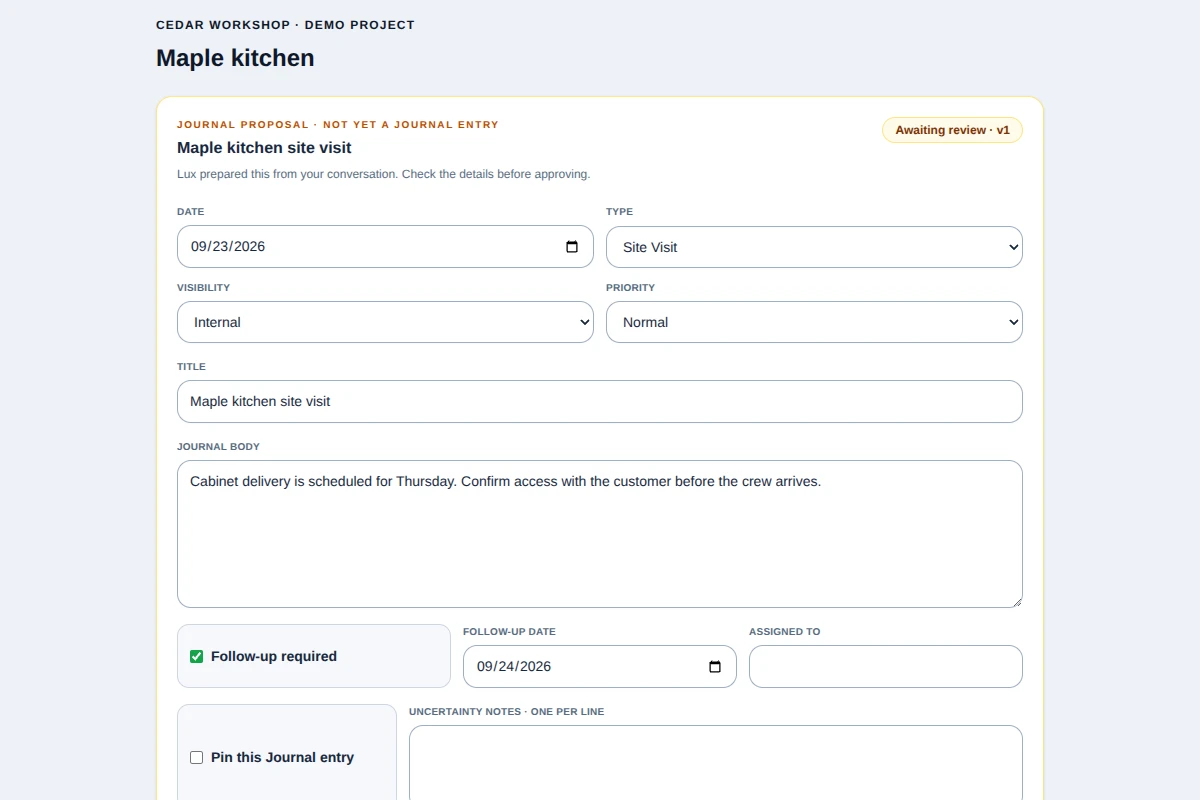
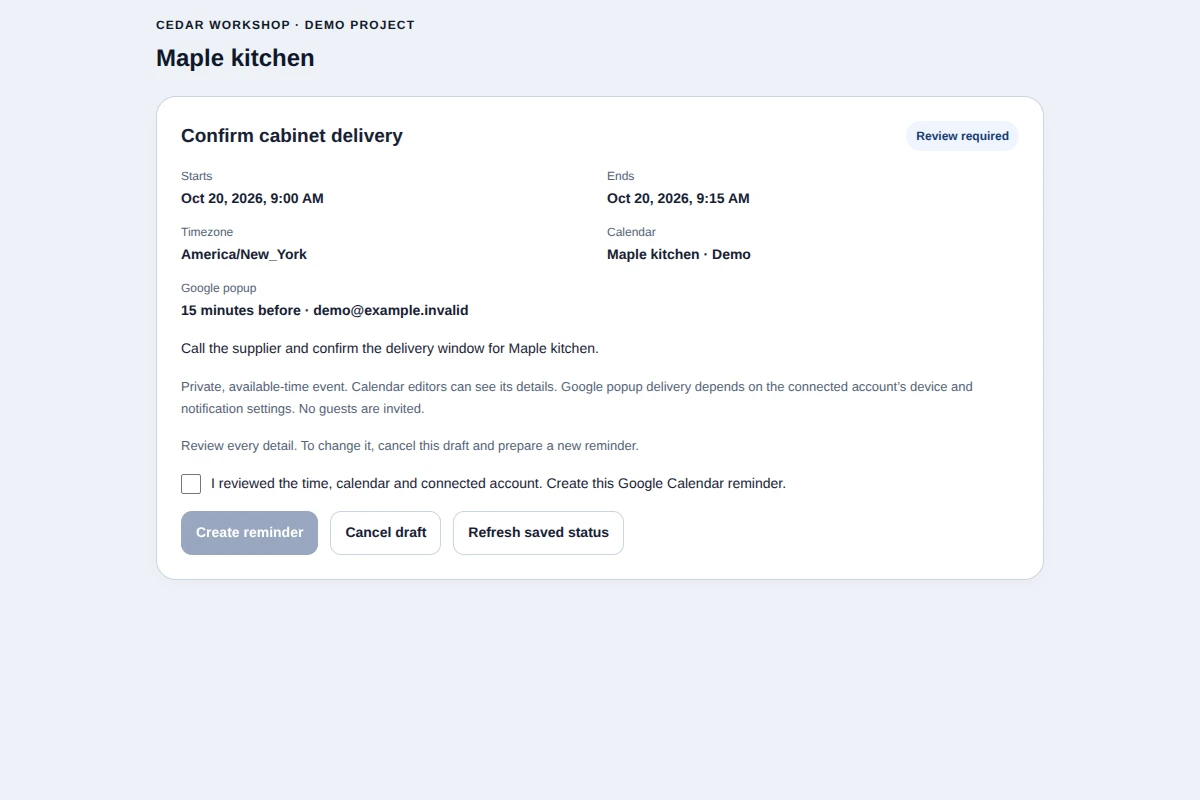
02 · Keep the follow-up
Type a project reminder or ask Lux to prepare one. Review the exact time, connected project calendar and alert before creating the Google Calendar event. Nothing is sent to guests by this reminder flow.
See Lux and Google →Show the customer what they are approving
Prepare a detailed estimate, review the customer document, and send it for explicit approval. Internal costs stay separate from customer pricing.
Explore estimating →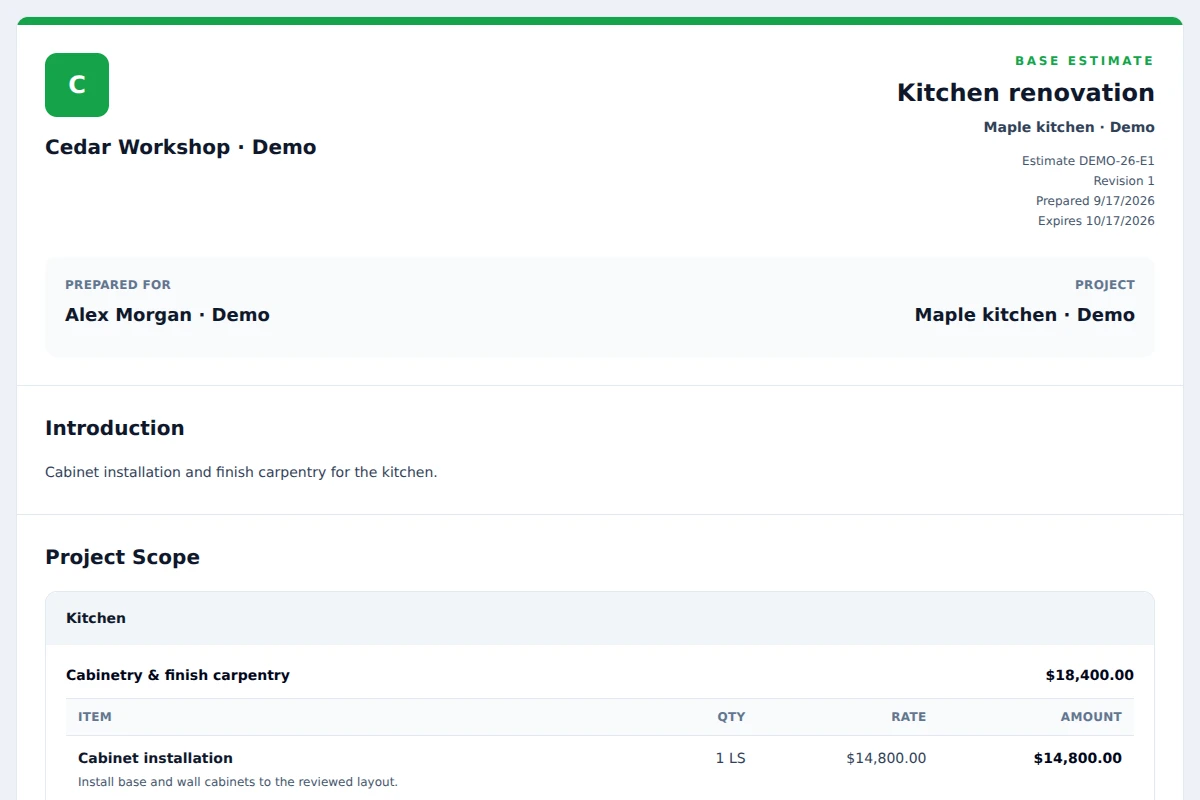
Choose how you work
Ask Lux about permitted project information. Review a proposed Journal entry, an estimate draft or a calendar reminder before it becomes native work. Connect a company project calendar and selected Drive files when they help; prepare invoices in the responsive workspace and see the records behind your numbers.
AI prepares · People authorize · HomeCraft OS records
Explore Lux and Google Workspace →In qualification
A governed HomeCraft OS connector can prepare supported CRM, Journal, estimate draft and schedule operations for review from an external assistant. Your current workspace access and native approval rules still apply.
Real Claude and ChatGPT client setup and recovery journeys are still being qualified. Ask about availability during your demo; a voice request does not bypass review.
Start with the work you already do
Request a demo focused on your team’s work.
Confirm setup, available features and written commercial terms.
Use role-specific guidance and saved progress. Optional connections can wait.
Public self-service trial registration is not yet available. See pricing and access details.